The Ultimate Guide to Creating Stunning Product Images with AI Photoshoot

The Ultimate Guide to Creating Stunning Product Images with AI Photoshoot
In today's competitive e-commerce landscape, high-quality product images are not just a nice-to-have; they are essential. They grab attention, build trust, and ultimately drive sales. But professional photoshoots are expensive, time-consuming, and often inflexible.
What if you could create professional-grade product photos in minutes, without a camera, studio, or a big budget?
Introducing AI Photoshoot from SnapMyDesign—a revolutionary tool that empowers you to generate breathtaking product images with the power of artificial intelligence.
💡 What is AI Photoshoot?
AI Photoshoot is a cutting-edge feature that transforms your basic product photos into stunning, professional-quality images. Simply upload an image of your product, describe the scene you envision, and our AI will generate a custom photoshoot for you.
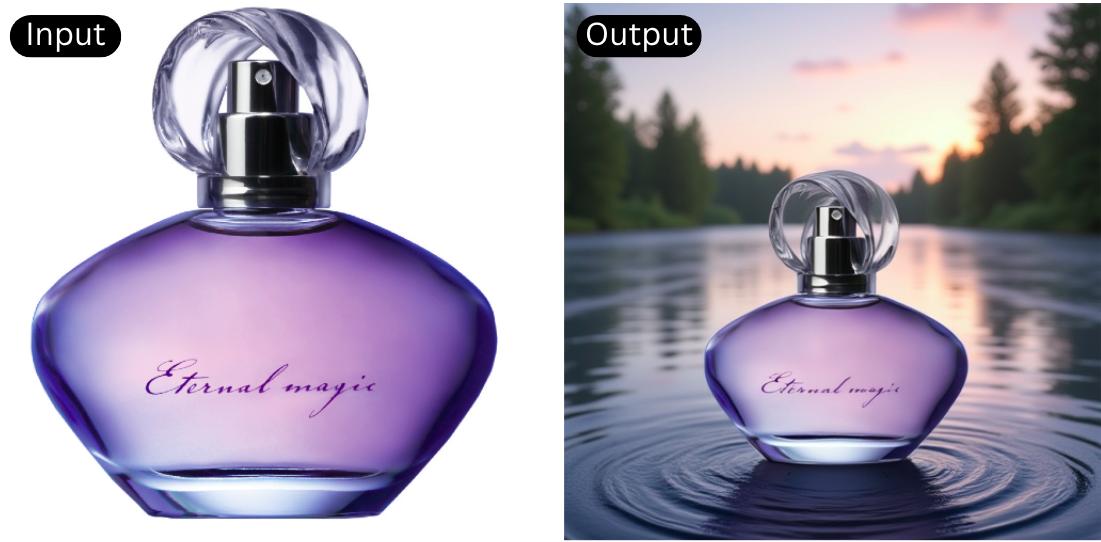
Whether you want to place your new line of shoes on a background of fluffy clouds or see your perfume bottle in a lush, green forest, AI Photoshoot makes it possible with just a few clicks.
🚀 How to Use AI Photoshoot: A Step-by-Step Guide
Getting started with AI Photoshoot is incredibly simple. Let's walk through the process together.
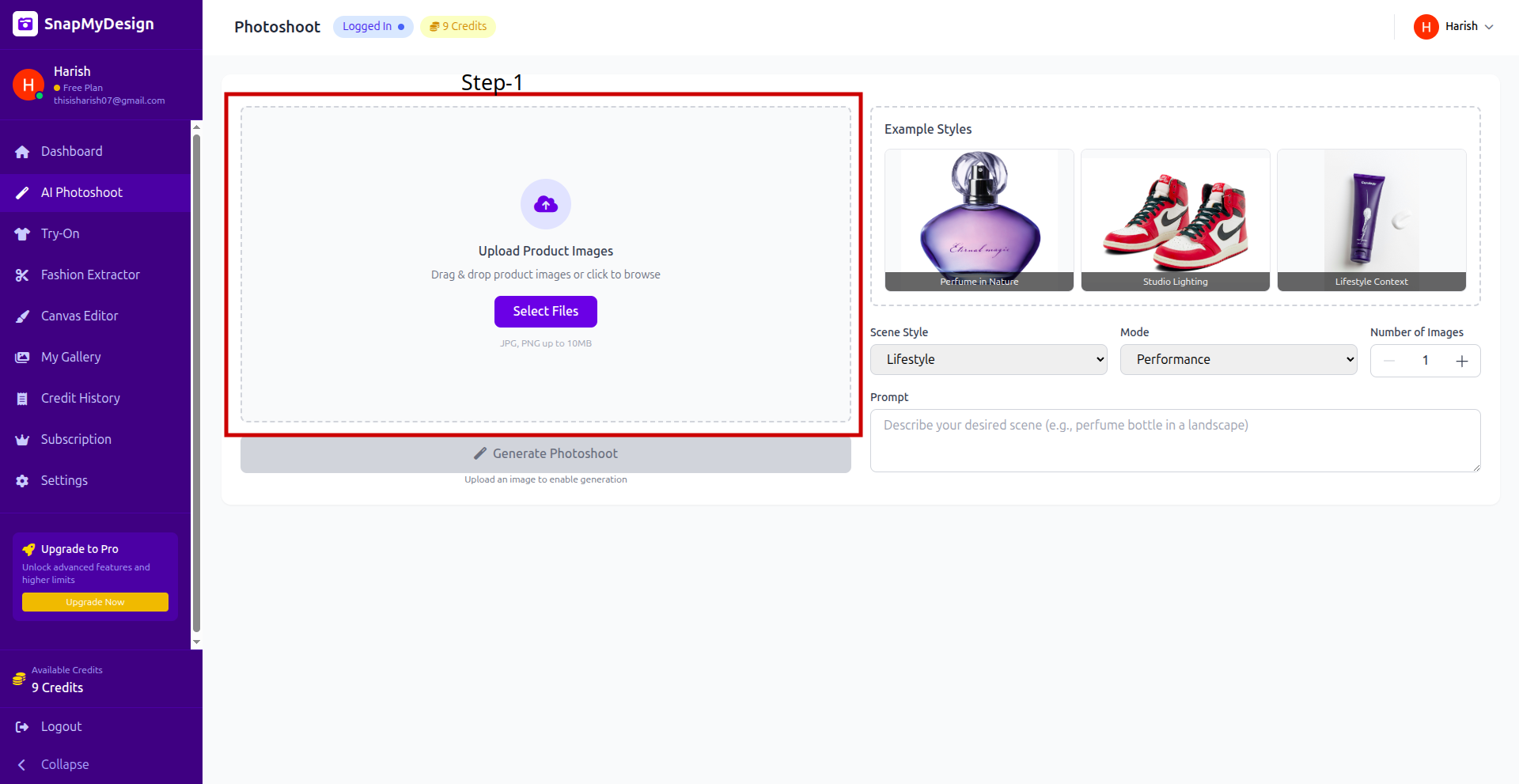
Step 1: 📤 Upload Your Product Image
Step 2: 🎨 Choose Your Style and Write a Prompt
This is where the magic happens! You have full creative control over the final output. Here’s what you can customize:
- Scene Style: Choose from different styles like "Lifestyle," "Studio," etc.
- Mode: Select a mode like "Performance","Balanced","Quality" for a mix of creativity and realism.
- Number of Images: Choose how many variations you want to generate.
- Prompt: This is your creative brief for the AI. Be as descriptive as you like! For example, instead of just "shoes," you could write, "Shoes floating in air between clouds."
- Example Styles: To get you started, we offer several pre-made example styles like "Perfume in Nature," "Studio Lighting," or "Lifestyle Context." Simply click on one to see an example.
Step 3: ✨ Generate Your Photoshoot
Once you are happy with your prompt and settings, it's time to let the AI do its work.
- Before you generate, you'll see a small notification telling you how many credits the generation will cost.
- Click the Generate Photoshoot button.
Our AI will then process your request, which usually takes just a minute or two.
Step 4: ✅ Review and Admire Your Results
⭐ Why Choose AI Photoshoot?
- 💰 Save Time & Money: Skip the expensive photographers and lengthy editing sessions.
- 🎨 Unlimited Creativity: If you can imagine it, you can create it.
- 📈 Increase Conversions: High-quality images have been proven to increase sales and engagement.
- 🔮 Stay Ahead of the Curve: Embrace the future of e-commerce and product marketing.
Ready to revolutionize your product imagery? Try AI Photoshoot today!