Fashion Extractor - Extract Clothing Items from Any Image
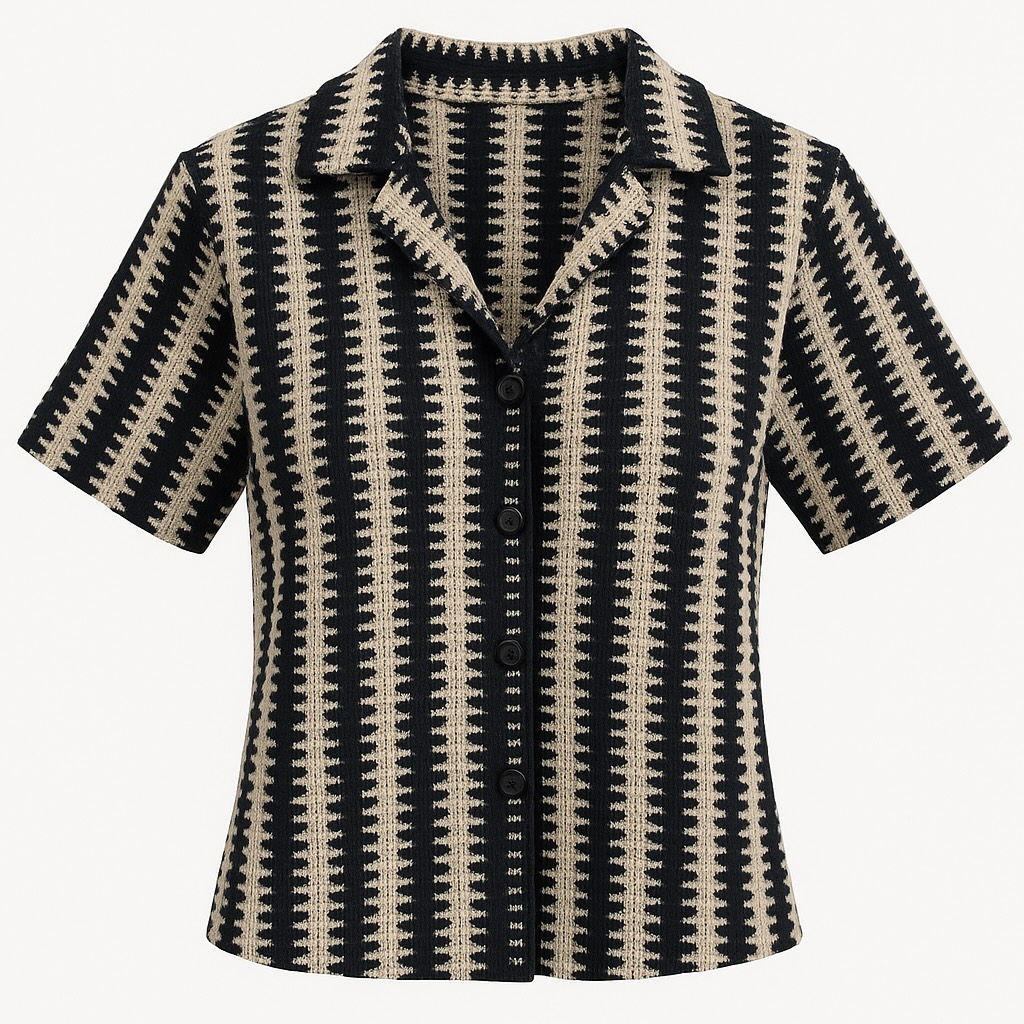
Magically Lift Clothes from Images: Your Guide to Fashion Extractor
Imagine you have the perfect photo of a model showcasing your latest design. The lighting is great, the pose is perfect, but you need a clean image of just the clothing for your online store. In the past, this meant hours of tedious work with complex photo editing software.
Not anymore. Say hello to SnapMyDesign's Fashion Extractor!
✨ What is Fashion Extractor?
Fashion Extractor is an intelligent tool that uses AI to automatically identify and "lift" clothing items directly from an image. It separates the garment from the model and the background, giving you a crisp, clean product photo on a transparent background.
It's like having a professional photo editor on standby, ready to create perfect product shots for you in seconds.
🚀 How to Use Fashion Extractor: A Simple Guide
Using this tool is incredibly straightforward. Here’s how you can extract your first fashion item:
Step 1: 📤 Upload Your Fashion Model Image
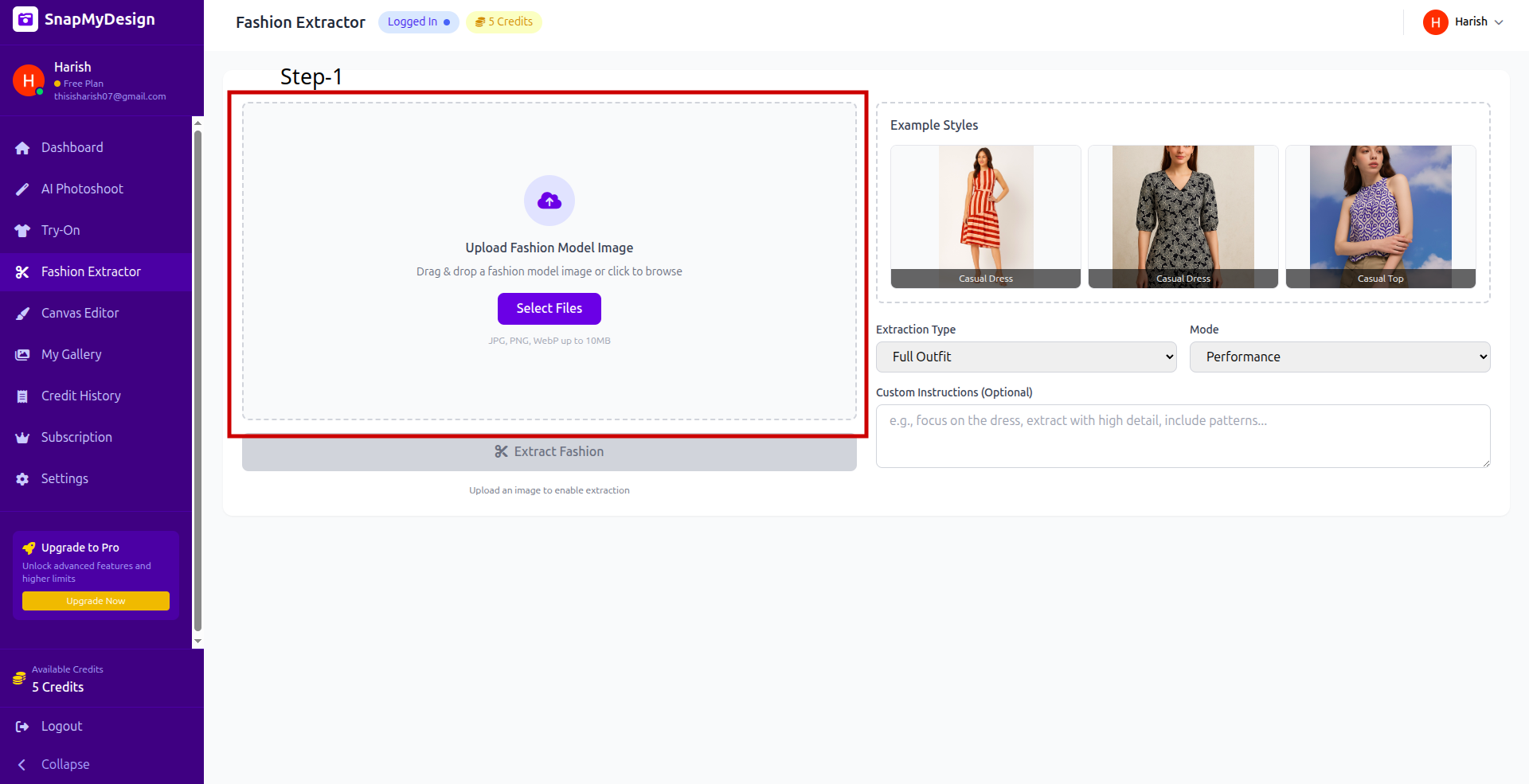
Step 2: 🎯 Fine-Tune Your Extraction
Once your image is uploaded, you can tell the AI exactly what you need.
- Extraction Type: Choose what you want to extract like "Full Outfit","Individual Items","Accessories Only","Upper Body","Lower Body". For example, select "Full Outfit", if you want to capture the entire set of clothes.
- Custom Instructions (Optional): For more complex images, you can give the AI specific instructions. For instance, you could type "focus on the dress, extract with high detail, include patterns..." to guide the extraction.
Step 3: ✅ Start the Extraction
Ready to see the magic?
- Take a look at the green bar to see how many credits the extraction will cost.
- Click the big purple Extract Fashion button.
The AI will now analyze the image and isolate the clothing.
Step 4: 🎉 Your Extracted Item is Ready!
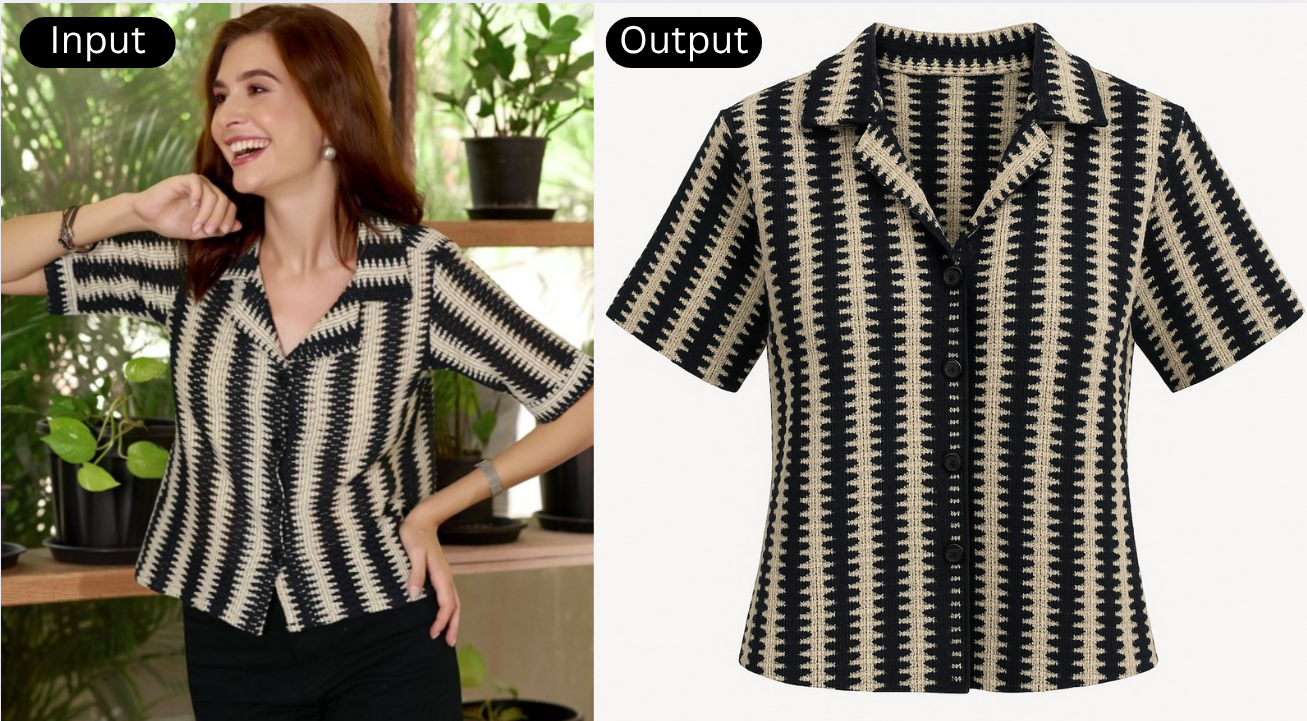
You now have a perfect, catalog-ready image of your product! You can download it, use it in other designs, or upload it directly to your e-commerce store.
Why Fashion Extractor Will Be Your New Best Friend
- 📸 Create Instant Product Shots: Turn any model photo into a clean product-on-white image effortlessly.
- ⏳ Save Countless Hours: Forget about manual cutouts in Photoshop. Get it done in a single click.
- ✨ Achieve a Professional Look: Ensure all your product listings have a consistent, high-quality appearance.
- 🎨 Be More Creative: Easily repurpose your extracted items in new designs, marketing materials, or virtual try-ons.
Ready to simplify your workflow and create stunning product images? Try the Fashion Extractor today!