A Step-by-Step Guide to Using SnapMyDesign for Your Business
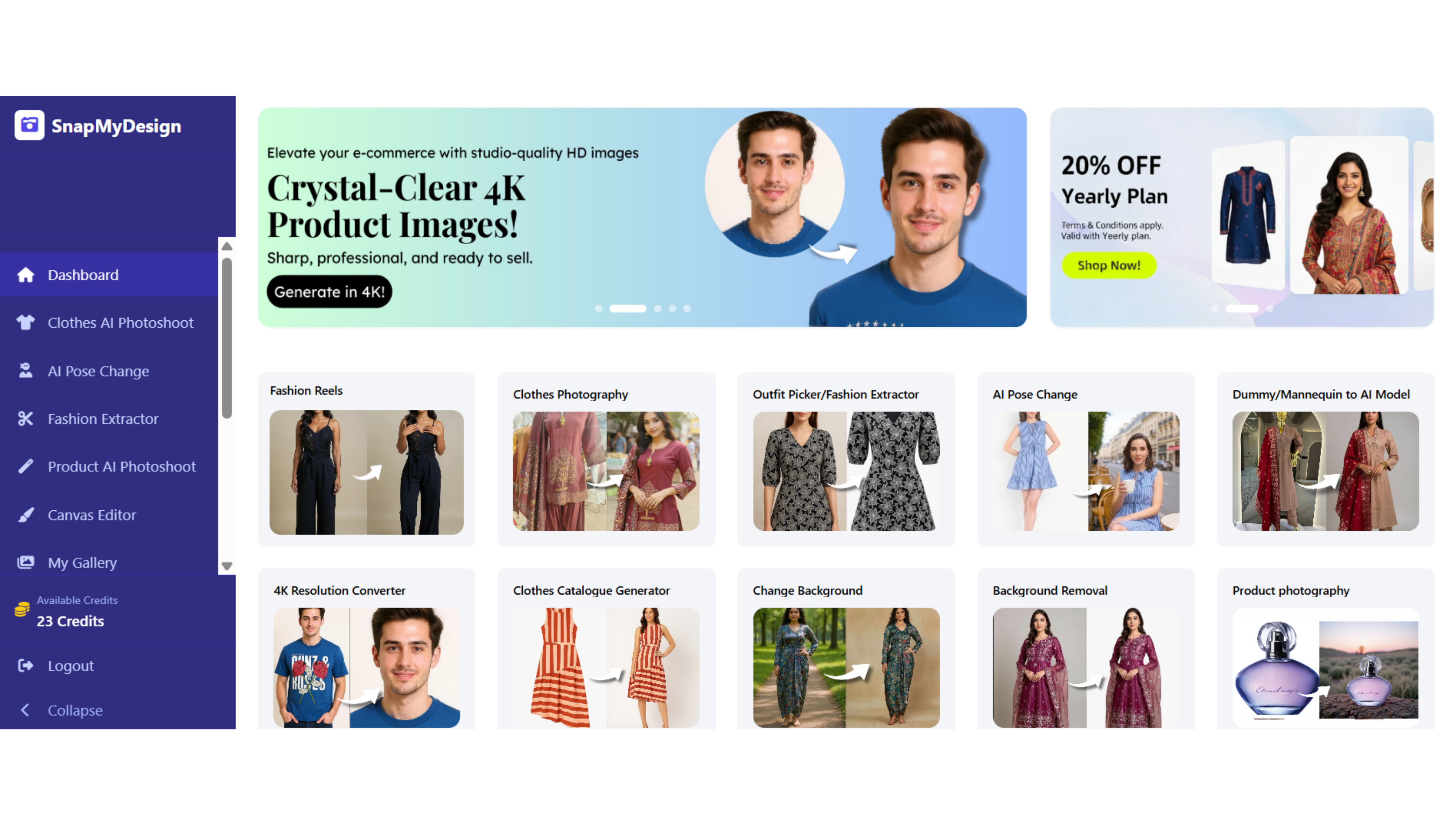
A Step-by-Step Guide to Using SnapMyDesign for Your Business
In today's competitive digital landscape, AI-powered product photography and virtual fashion modeling have become essential tools for businesses looking to create professional content without the traditional costs and complexity of photoshoots. SnapMyDesign offers a comprehensive solution that transforms how fashion brands, e-commerce stores, and content creators showcase their products online.
What is SnapMyDesign and Why Your Business Needs It
SnapMyDesign is an AI-driven fashion photography platform that enables businesses to generate studio-quality product images, videos, and virtual try-on content in seconds. Unlike traditional photoshoots that require models, studios, and professional equipment, this innovative platform uses artificial intelligence to create compelling visuals that drive engagement and boost conversions.
Step 1: Getting Started with Your SnapMyDesign Account
Account Setup and Dashboard Access
- Visit snapmydesign.com and create your business account
- Complete the onboarding process by providing your business details
- Access the intuitive dashboard where you can manage projects, upload assets, and track your content creation
Step 2: Preparing Your Product Images for AI Enhancement
Image Upload Requirements
For optimal results with AI fashion photography, upload clear, front-facing images of your clothing items. The platform works best with:
- High-resolution images (minimum 1024x1024 pixels)
- Well-lit images with minimal shadows
- Clear product visibility without obstructions
- Consistent lighting across all uploads
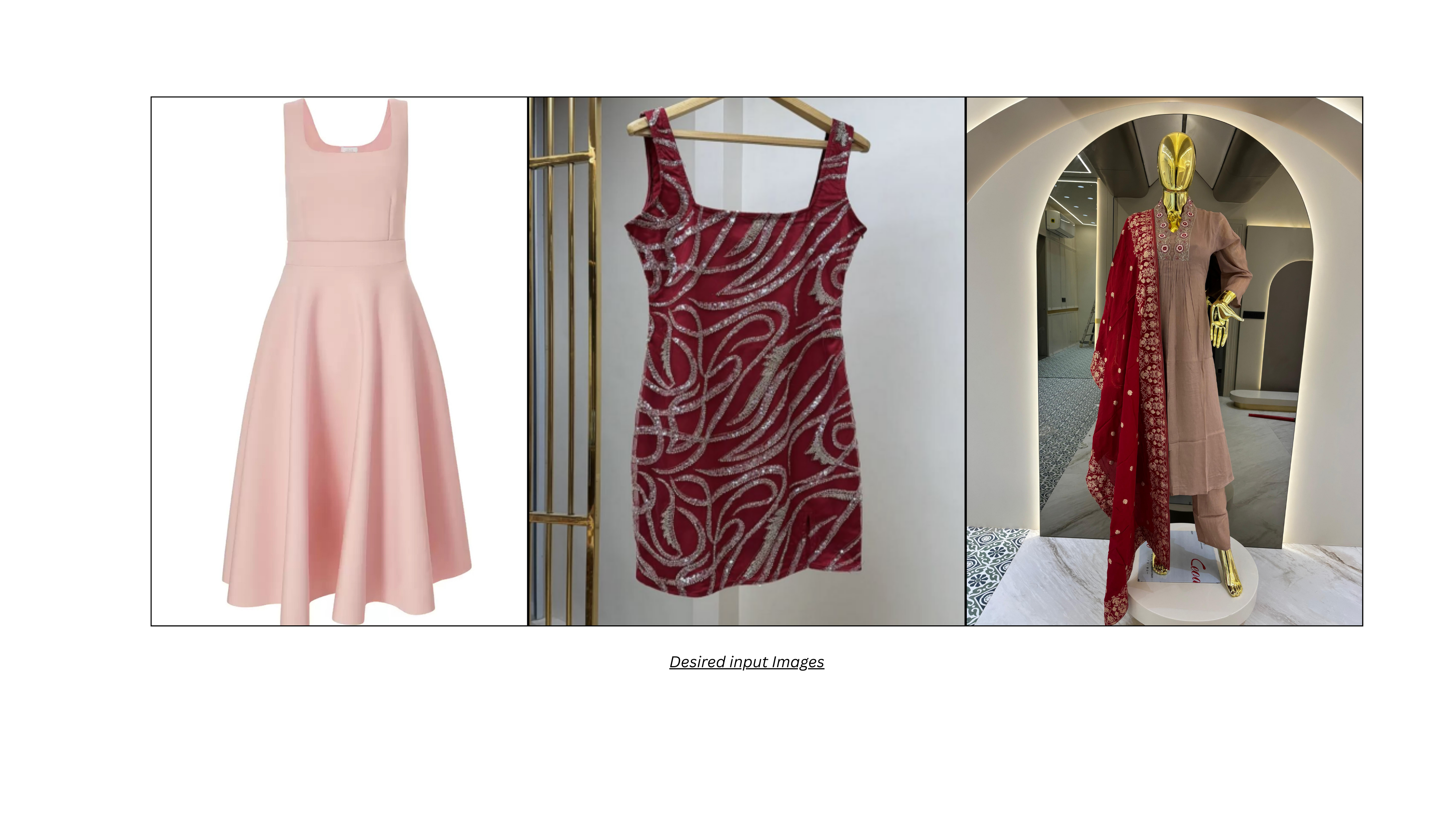
Best Practices for Input Images
Ensure your clothing images are properly formatted and meet the platform's specifications. Remove any obstructions, ensure adequate lighting, and maintain consistent image quality across all uploads for professional results.
Step 3: Creating AI-Generated Fashion Models
Virtual Try-On Generation
Once your images are uploaded, SnapMyDesign's AI technology creates realistic virtual models wearing your clothing. The platform offers:
- Diverse Model Selection: Choose from various body types, ethnicities, and styles
- Pose Customization: Select from multiple poses and angles
- Background Options: Studio, outdoor, or custom background settings
- Style Variations: Casual, formal, or seasonal themes
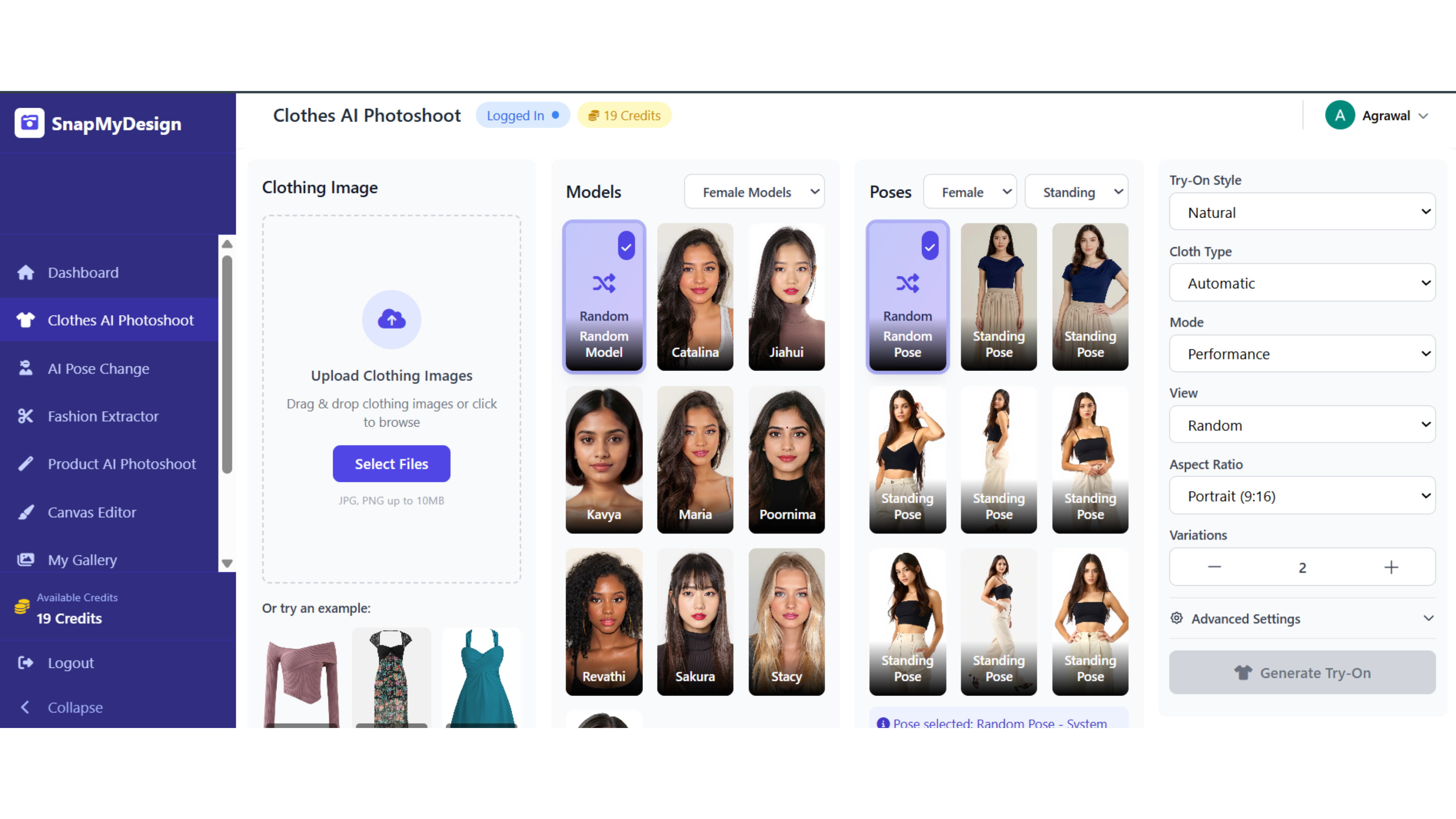
Creating Studio-Quality Images
Click the "Generate Try-On" button and let SnapMyDesign's AI fashion technology work its magic. The platform processes your input and creates photorealistic images showing your clothing on professional models in seconds.
Step 4: Advanced Features and Customization
Video Generation
Transform static product images into dynamic AI-generated videos perfect for social media marketing, e-commerce listings, and advertising campaigns. These videos showcase product movement, texture, and fit in ways that static images cannot achieve.
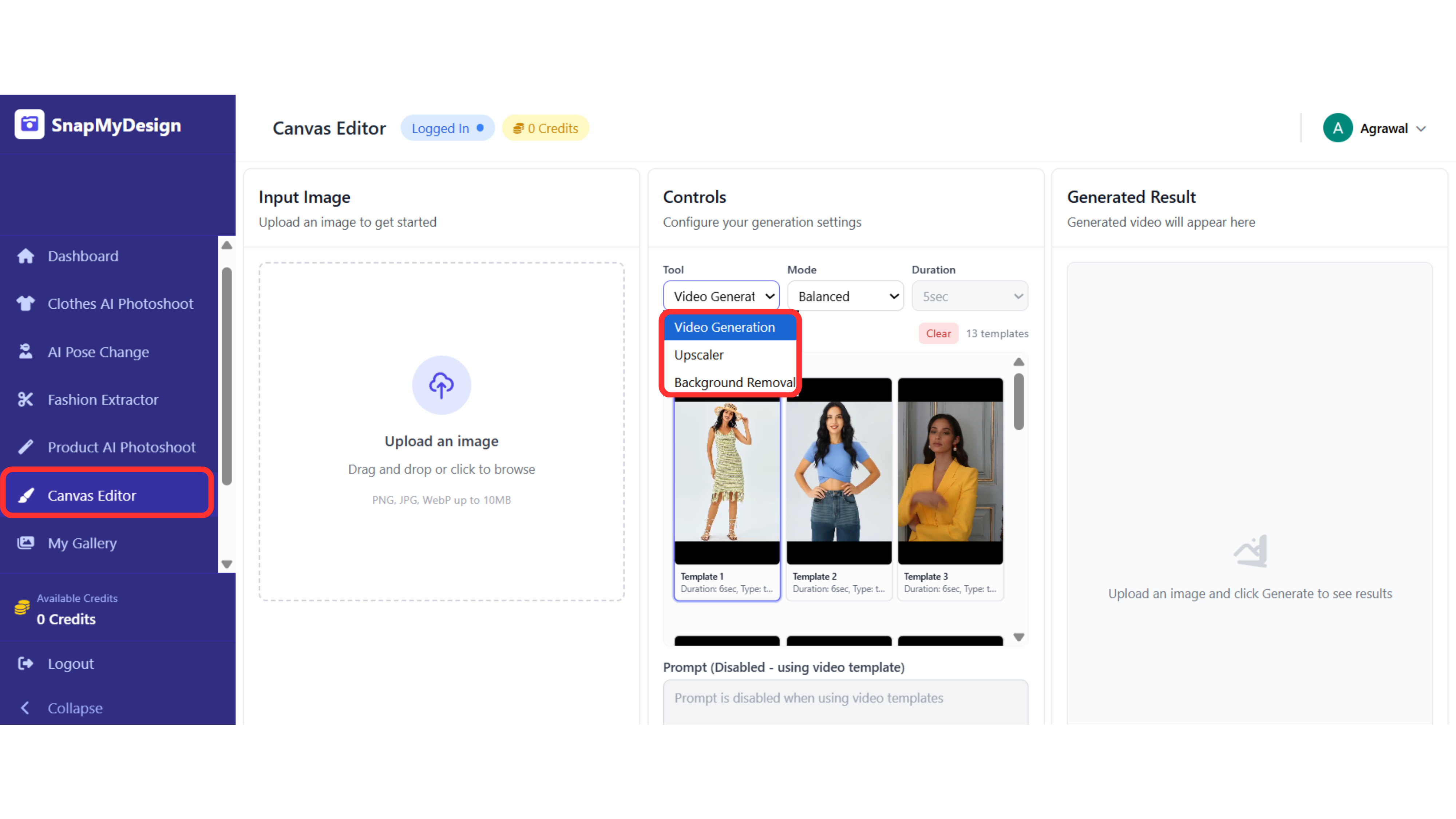
Canvas Editor Integration
SnapMyDesign's Canvas Editor provides additional creative tools:
- AI Upscaler: Enhance image resolution and quality
- Background Removal: Clean, professional product isolation
- Batch Processing: Handle multiple products simultaneously
- Format Optimization: Export in various formats for different platforms
Step 5: Downloading and Implementing Your Content
Export Options
Download your completed images and videos in multiple formats:
- 4K resolution images for premium quality
- Social media optimized formats (Instagram, Facebook, TikTok)
- E-commerce ready images with transparent backgrounds
- Print-ready high-resolution files
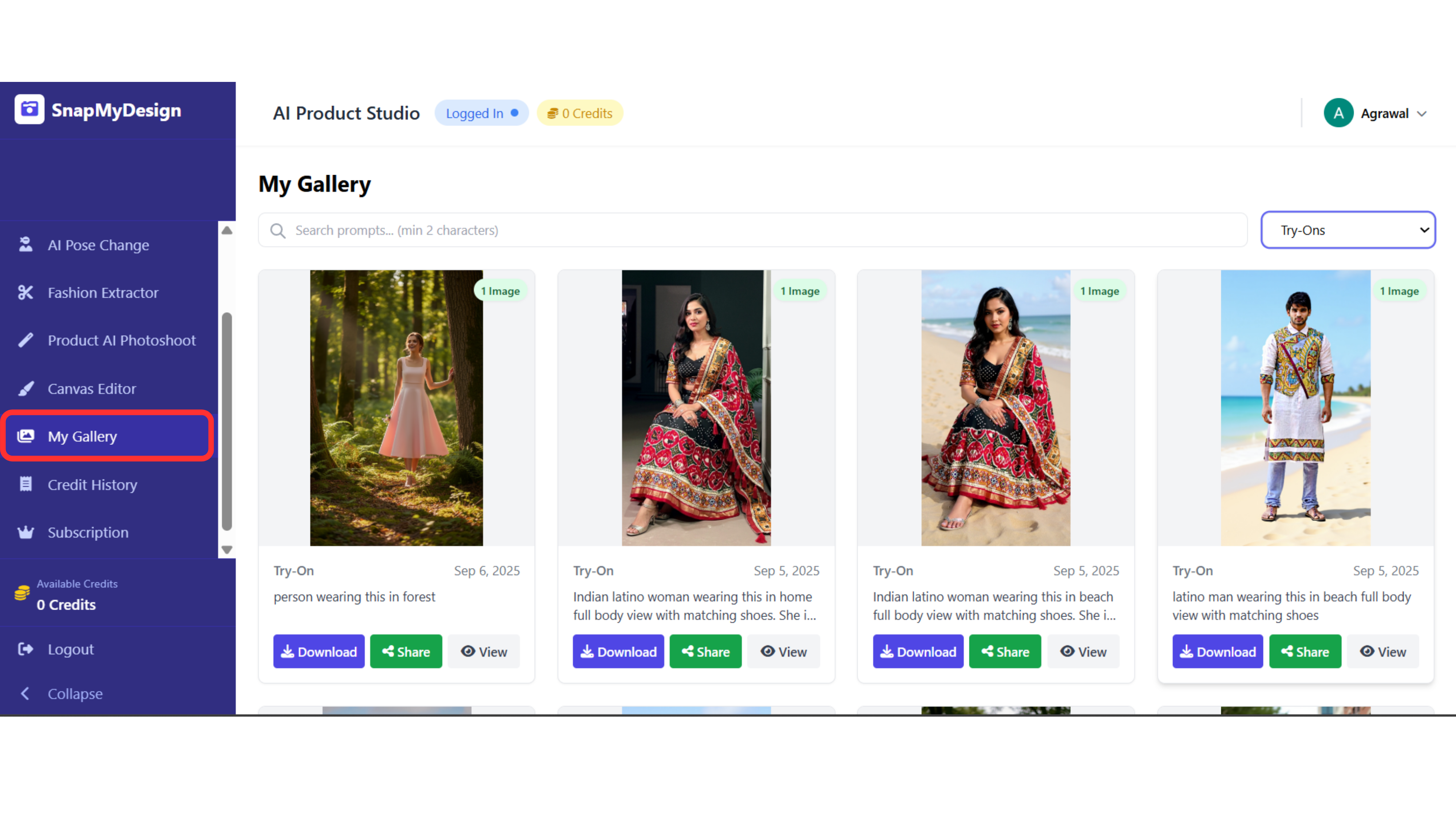
Platform-Specific Optimization
- E-commerce Websites: High-resolution images with consistent backgrounds
- Social Media: Square and vertical formats optimized for each platform
- Marketplaces: Images that meet Amazon, eBay, and other platform requirements
- Print Materials: High-resolution files suitable for catalogs and advertisements
Step 6: Scaling Your Content Creation
Batch Processing Workflows
- Upload multiple products simultaneously
- Apply consistent styling across entire collections
- Generate seasonal campaigns efficiently
- Maintain brand consistency at scale
Integration with Business Tools
- Connect with e-commerce platforms (Shopify, WooCommerce)
- Integrate with social media management tools
- Export to design software (Photoshop, Canva)
- API access for custom integrations
Best Practices for Maximum Results
Content Strategy
- Plan your content calendar around seasonal trends
- A/B test different model styles and poses
- Create diverse content for different customer segments
- Maintain consistent brand aesthetics across all visuals
Quality Assurance
- Review generated content before publishing
- Ensure brand guidelines are followed
- Test images across different devices and platforms
- Gather feedback from your target audience
Cost Management
- Monitor credit usage and optimize workflows
- Use batch processing to reduce per-image costs
- Plan content creation around your budget
- Take advantage of free trial credits
Measuring Success
Key Performance Indicators
- Conversion Rates: Track how AI-generated images impact sales
- Engagement Metrics: Monitor social media performance
- Time Savings: Measure efficiency gains over traditional photography
- Cost Reduction: Calculate savings compared to traditional shoots
Analytics and Reporting
- Use SnapMyDesign's built-in analytics to track usage
- Monitor which content types perform best
- Optimize your workflow based on data insights
- Report ROI to stakeholders and team members
Conclusion: Transforming Your Business with AI Fashion Photography
SnapMyDesign revolutionizes how businesses approach product photography and content creation. By following this step-by-step guide, you can:
- Reduce Photography Costs by up to 90% compared to traditional shoots
- Accelerate Content Creation from weeks to minutes
- Scale Your Visual Content without proportional cost increases
- Maintain Professional Quality across all your product imagery
- Stay Competitive in today's fast-paced digital marketplace
Ready to transform your business with AI-powered fashion photography? Start your SnapMyDesign journey today and discover how professional product imagery can drive growth, boost conversions, and elevate your brand in the competitive world of e-commerce.
Get started with SnapMyDesign and create your first AI-generated product images in minutes.