Virtual Try-On Technology - Boost Your E-commerce Sales
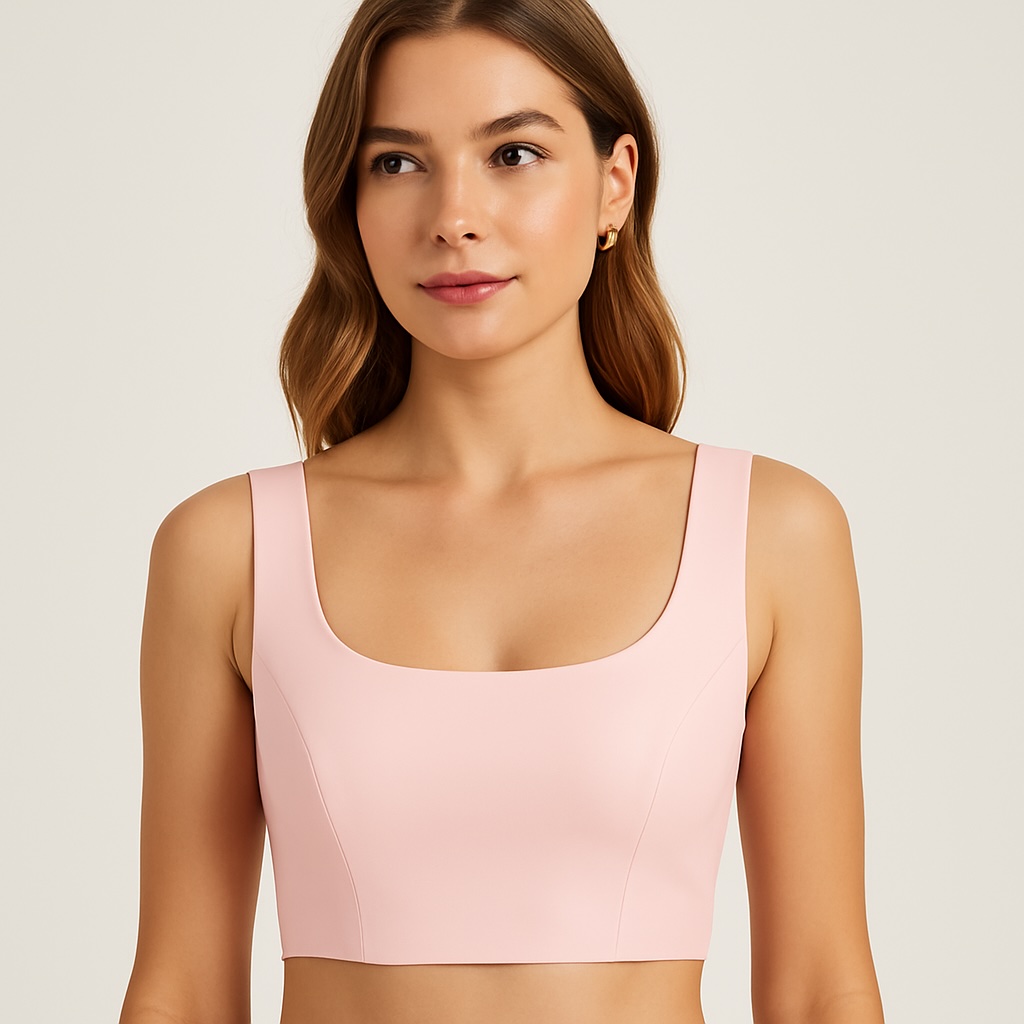
See Your Designs Come to Life: A Guide to Virtual Try-On
Have you ever wondered how your new clothing design would look on different people without having to organize a real-life fitting? Or maybe you're an online shopper who wishes you could see a garment on a model that looks more like you.
That's where the magic of technology comes in. With SnapMyDesign's Virtual Try-On feature, you can instantly see your clothing on a diverse range of digital models. It's a game-changer for designers, brands, and shoppers alike.
What is Virtual Try-On?
Virtual Try-On is a powerful tool that takes an image of a piece of clothing and digitally dresses it on a model of your choice. You can see how the fabric drapes, how the colors pop, and how the overall style fits—all in a matter of moments and without any physical samples.
It's the easiest way to visualize your creations and make sure they look perfect.
How to Use Virtual Try-On: A Simple Walkthrough
Let's go through the steps to create your first virtual fitting. It's as easy as 1-2-3!
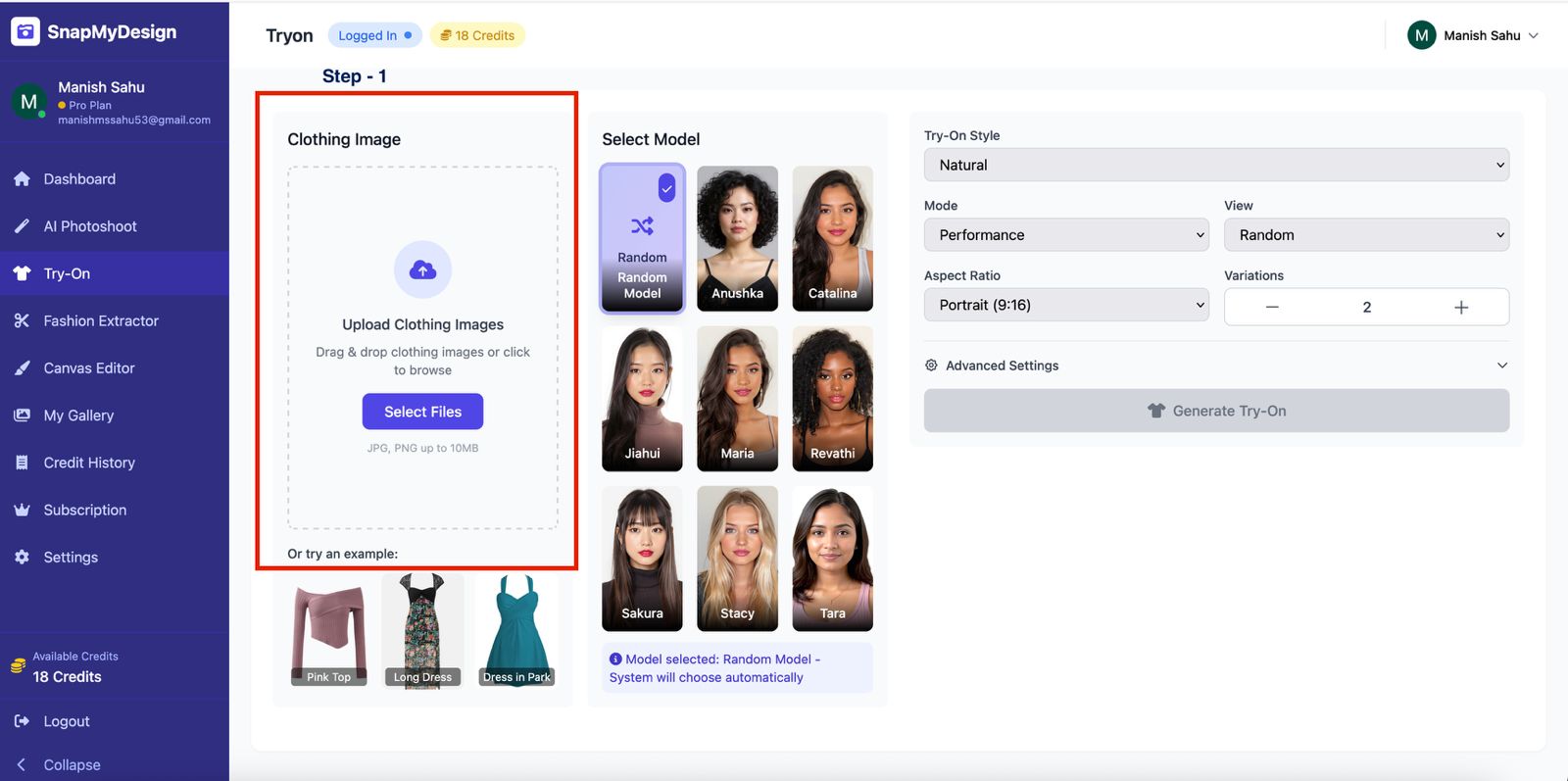
Step 1: Upload Your Clothing Image
Step 2: Select Your Model
Next, it's time to choose who will be modeling your design. We have a diverse lineup of models to help you find the perfect look.
- In the Select Model section, you can see all available models.
- Simply click on the model you'd like to use. You can choose a specific person or select Random Model to let the system pick for you.
A confirmation message will appear, like "Model selected: Anushka - Indian female," so you know who you've chosen.
Step 3: Customize Your Scene
This is where you can add your creative touch to the final image.
- Try-On Style: Choose a style like "Natural" for a realistic look.
- Mode: Select a mode like "Performance","Balanced","Quality" for a mix of creativity and realism.
- View: Select a view like "Full-Body","Upper-Body","Closeup","Side View","Back View" or random.
- Aspect Ratio & Variations: Select the aspect ratio and the number of images you want to generate.
- Prompt: Give the AI some direction! You can describe the scene or the model's pose. For example, "A Brazilian woman wearing this dress in a sunlit, tropical garden, radiating confidence."
Step 4: Generate Your Image
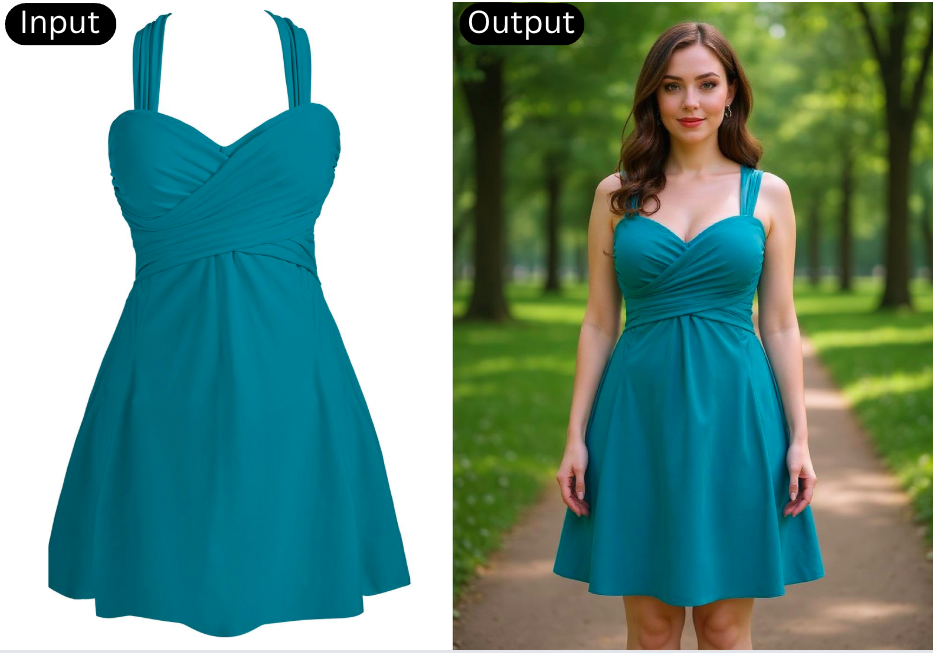
Now you can see your clothing item on a model, looking natural and stylish. From here, you can download the image, make more variations,make video and upscale or start a new project.
Why You'll Love Virtual Try-On
- Visualize with Diversity: See your designs on models of different ethnicities and body types.
- Save Resources: Cut down on the costs and time associated with traditional model photoshoots.
- Boost Your Marketing: Create stunning lifestyle images for your social media, website, and marketing campaigns.
- Make Better Design Decisions: See how your clothes fit and drape before you even create a physical sample.
Ready to bring your fashion ideas to life? Give Virtual Try-On a try today!