Best AI Wrinkle Remover in 2026
SnapMyDesign Team
•5 min read
Wrinkles kill conversions. Here's the fastest way to iron them out of your product photos in 2026.
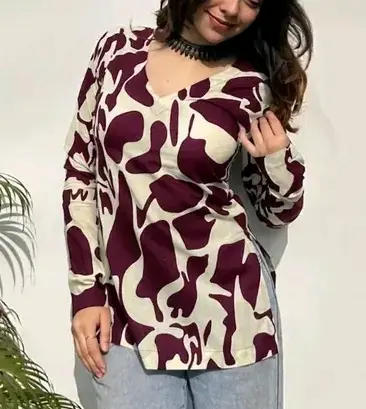
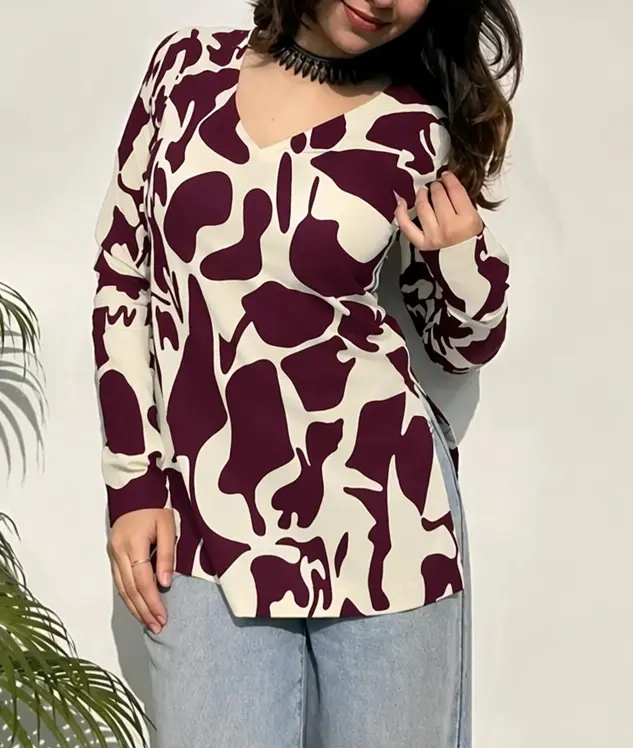
Left (Before): raw input. Right (After): AI-processed output by SnapMyDesign.
🏆 The Winner at a Glance
SnapMyDesign — irons the fabric, not the photo. Removes creases while keeping stitching, prints, and weave perfectly sharp.
📊 Side-by-Side Comparison
| Tool | Best For | Keeps Texture | Batch | Free Trial | Rating |
|---|---|---|---|---|---|
| SnapMyDesign 🏆 | E-commerce clothing photos | ✅ Excellent | ✅ Yes | ✅ Free credits | ⭐ 4.9 |
| Photoroom | Quick general cleanup | ⚠️ Good | ✅ Paid | ⚠️ Limited | ⭐ 4.2 |
| Canva | Design-first users | ⚠️ Basic | ⚠️ Bulk | ✅ Free tier | ⭐ 4.0 |
| Pixelcut | Mobile beginners | ⚠️ Basic | ❌ No | ✅ Free tier | ⭐ 3.9 |
| Cleanup.pictures | Object removal | ⚠️ Mixed | ❌ No | ✅ Free tier | ⭐ 3.8 |
| VanceAI | One-off fixes | ⚠️ Basic | ❌ No | ⚠️ Limited | ⭐ 3.7 |
🎯 Why SnapMyDesign Wins
- 🪄 Reconstructs fabric — wrinkles vanish, texture stays
- ⚡ Scales to whole catalogs — not one-off fixes
- 🆓 Free credits — test on your own photos first
🚀 How to Use It (30 Seconds)
- 📤 Upload your wrinkled photo
- 🎚️ Pick your smoothing level (light → strong)
- ⚡ Run — the AI irons the fabric
- 💾 Download — listing-ready, texture intact
✅ Verdict
Everyone can soften a crease. Only SnapMyDesign does it without sacrificing the fabric detail that makes your product look premium.