How Fashion Brands Shoot Apparel Catalogs Without a Model
How do you photograph clothes without a model?
Shoot flat lays from above on a clean surface, use dummy or mannequin shoots for garment shape, or hang clothes on a plain background. Then convert the photos to on-model catalog images with AI—no studio, photographer, or model required.
- Shoot flat lays, dummy shots, or hanger photos with even lighting
- Upload to Flat Lay to Model AI or Dummy to Model AI
- Generate and download on-model catalog images for your store
You don't need a model or studio to sell clothes online. Start with a flat lay or dummy shoot, then convert it into on-model catalog photos with AI. Try Flat Lay to Model AI for flat-lay inputs or Dummy to Model AI for mannequin and hanger shots — both turn raw garment photos into studio-grade model imagery in minutes, no photographer required.
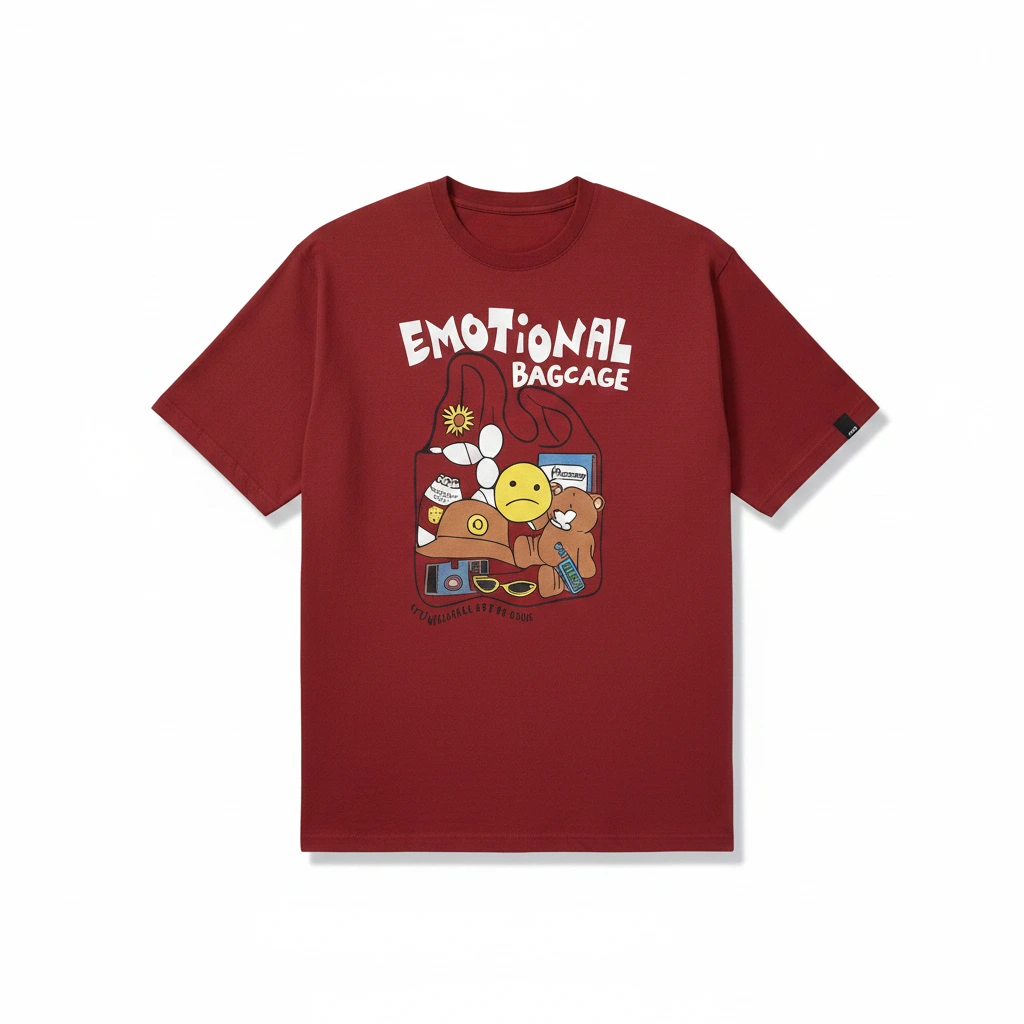
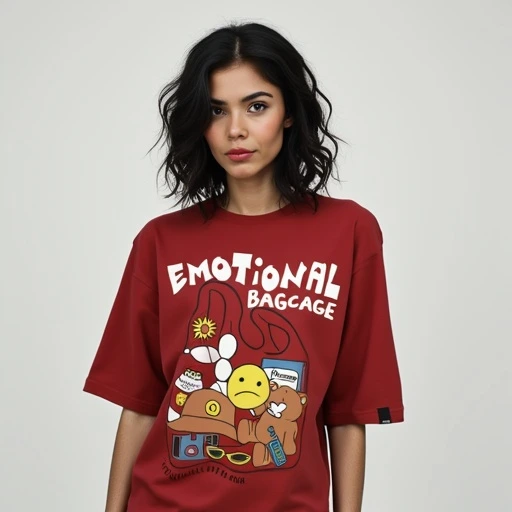
Left (Before): flat lay input. Right (After): AI on-model output by SnapMyDesign.
Why Photograph Clothes Without a Model?
Hiring models and booking studios is expensive — especially for small brands, resellers, and marketplace sellers on Amazon, Meesho, and Shopify. Shooting without a model cuts costs by up to 90% while still producing listing-ready images that convert.
The three most effective no-model workflows:
- Flat lay photography — lay the garment flat on a clean surface and shoot from above
- Dummy / mannequin shoots — dress a mannequin or use a ghost mannequin technique
- Hanger shots — hang the garment against a plain background
Each method captures the garment accurately. The missing piece is the on-model look that drives clicks and sales — and that's where AI fills the gap.
Step 1: Set Up Your Flat Lay Shot
Flat lays are the fastest no-model method. You need:
- A clean, well-lit surface (white foam board works perfectly)
- Natural light or two softbox lights at 45° angles
- A smartphone or camera on a tripod, shooting straight down
Tips for better flat lays:
- Smooth out major wrinkles before shooting (or use AI wrinkle removal later)
- Keep sleeves and hems symmetrical
- Shoot at the highest resolution your camera allows
- Include front and back views for catalog completeness
Step 2: Dummy and Mannequin Photography
Dummy shoots show garment shape and fit better than flat lays. Options include:
- Invisible ghost mannequin — composite two shots (front with mannequin, inside label) for a floating-garment effect
- Visible mannequin — faster to shoot, then convert to on-model with AI
- Plastic hanger dummy — common for reseller and Meesho catalog workflows
Upload your dummy or hanger shot to Dummy to Model AI and the platform drapes the garment onto a realistic AI model — preserving fabric texture, colour, and fit.
Step 3: Convert to On-Model Photos with AI
Once you have flat lays or dummy shots, AI handles the rest:
- Upload your garment photo (flat lay, dummy, or hanger)
- Select an AI model — choose ethnicity, pose, and body type
- Generate on-model catalog images in seconds
- Download marketplace-ready files for your store listings
Flat Lay to Model AI is ideal when you start with a top-down flat lay. Dummy to Model AI works best for mannequin, ghost mannequin, and hanger inputs.
Marketplace Listing Standards
Different platforms have different image requirements:
| Platform | Recommended Format | Background |
|---|---|---|
| Amazon | On-model or flat lay, min 1000px | White preferred for FBA |
| Meesho | On-model catalog images | Clean, bright backgrounds |
| Myntra | On-model, front and back | Studio white or lifestyle |
| Shopify | On-model or lifestyle | Brand-consistent |
| Etsy | Lifestyle or on-model | Natural, brand-aligned |
AI-generated on-model photos from flat lays and dummy shots meet these standards when you select marketplace-compliant backgrounds during generation.
Common Mistakes to Avoid
- Shooting in harsh direct sunlight — causes hard shadows and colour shifts
- Using busy backgrounds — makes AI extraction harder and reduces output quality
- Skipping back-view shots — many marketplaces require front and back images
- Low-resolution uploads — always shoot at maximum resolution for best AI results
✅ Verdict
Photographing clothes without a model is not a compromise — it's a smarter workflow. Shoot flat lays or dummy images in minutes, then let AI produce studio-grade on-model catalog photos at a fraction of studio cost.